
Wix vs Squarespace: Which Is Better for Your Website?
By Makedonka Tochevska · Last Update October 2026
Choosing between Wix and Squarespace isn’t really about finding the website builder with the longest feature list. It’s about choosing the one that fits the website you’re building now – and won’t become frustrating when you need more from it later.
In this Wix vs Squarespace comparison, I’ll look at both from a web designer’s perspective: how easy they are to work with, how much design control they give you, what they offer for SEO and ecommerce, what they cost, and how well they can adapt as your website grows.
I’ll also explain when I wouldn’t choose either platform and would consider WordPress instead.
I’m a web developer and have built websites with both Wix and Squarespace, although I’ve spent more time working in Squarespace. In my experience, Wix gives you more freedom from the start, but that flexibility can also make the editor feel cluttered and make it easier for a design to become inconsistent. Squarespace felt cleaner and more polished to me, which is one of the reasons I kept returning to it. I also work extensively with WordPress today, so I tend to compare both platforms based on how much control they give me once a website needs to go beyond the basics.
TL;DR: Wix vs Squarespace
Choose Wix if you want more design freedom, more built-in business functionality, and greater flexibility in how you build and expand your website.
Choose Squarespace if you want a more controlled design system, polished templates, and a simpler way to create and maintain a professional-looking website.
Choose neither if you already know your website will need significant customization, more development control, complex integrations, or functionality that is likely to expand considerably as your business grows. In that case, WordPress or a custom solution may make more sense.
| If you care most about... | Better choice |
|---|---|
| Design freedom | Wix |
| Design consistency | Squarespace |
| Simpler design decisions | Squarespace |
| Built-in business functionality | Wix |
| SEO | Both are capable - execution matters more |
| Ecommerce | Depends on what you're selling |
| Blogging and content | Depends on your content strategy |
| Apps and integrations | Wix |
| Keeping things simple | Squarespace |
| Greater development control | Consider WordPress instead |
The main difference is control versus structure. Wix gives you more freedom to decide how the website looks and functions, while Squarespace gives you more guardrails that can make it easier to keep the site visually consistent. Neither approach is inherently better.
And I wouldn’t make the decision based only on which platform feels easier during the first few hours of building. A better question is: which one will still work for you six months or two years after the website launches?
From my own experience building with both platforms, I prefer Squarespace when the goal is to create a polished, relatively straightforward website without introducing unnecessary complexity. Wix gives me more freedom, but I don’t always find that additional freedom beneficial. The editor can become cluttered quickly if the site isn’t built with a clear design system. For projects that need substantially more control than either platform provides, I’d usually start looking at WordPress instead.
TABLE OF CONTENTS
- Wix vs Squarespace at a Glance
- Which Is Easier to Use: Wix or Squarespace?
- Which Is Better for Website Design: Wix or Squarespace?
- Wix vs Squarespace Pricing: Which Is Cheaper?
- Is Wix or Squarespace Better for SEO?
- Wix vs Squarespace for Ecommerce: Which Is Better?
- Wix vs Squarespace for Blogging, Apps and Integrations
- Which Is Better as Your Business Grows?
- What Are the Biggest Drawbacks of Wix and Squarespace?
- Can You Move From Wix to Squarespace Later?
- Wix vs Squarespace vs WordPress: When Should You Choose WordPress Instead?
- Wix or Squarespace: What Would I Choose?
- Wix vs Squarespace FAQs
Wix vs Squarespace at a Glance
Wix gives you more flexibility and a broader set of built-in tools, while Squarespace offers a more structured website-building experience with a strong focus on polished, consistent design. Both are all-in-one website builders, which means hosting, security, templates, and core website management are handled within the platform.
The biggest difference isn’t whether you can build a professional website with either one, you can. It’s how much control you want over the process and how much complexity you’re comfortable managing.
| Feature | Wix | Squarespace |
|---|---|---|
| Best for | Businesses wanting more flexibility and functionality | Businesses wanting simplicity and design consistency |
| Design approach | More flexible, with greater control over page layouts | More structured, with stronger design guardrails |
| Ease of use | Easy to start, but more options can add complexity | More controlled interface with fewer design decisions |
| Templates | Large selection with extensive customization | Smaller, highly curated selection |
| SEO | Strong built-in SEO controls | Covers the core SEO requirements |
| Ecommerce | Built-in ecommerce with a broad feature set | Built-in ecommerce suited to many small and creative businesses |
| Blogging | Built-in blogging and content tools | Strong built-in blogging tools |
| Apps & integrations | Large app ecosystem | Smaller extension ecosystem plus third-party integrations |
| Hosting | Included | Included |
| Best advantage | Flexibility | Simplicity and design consistency |
| Main trade-off | More freedom can mean more complexity | More structure can mean less flexibility |
The table makes Wix look like the obvious choice if you simply count capabilities, but that’s exactly why feature lists can be misleading. A business that doesn’t need the additional flexibility may be better served by a platform that makes fewer things configurable.
Likewise, Squarespace’s more structured approach shouldn’t automatically be treated as a limitation. For someone managing their own website without a designer involved every time they make an update, those guardrails can make it harder to accidentally create inconsistent layouts.
This is also why I wouldn’t choose between Wix and Squarespace from a feature table alone. The next question is what they’re actually like to use once you’re building and maintaining a real website.
Which Is Easier to Use: Wix or Squarespace?
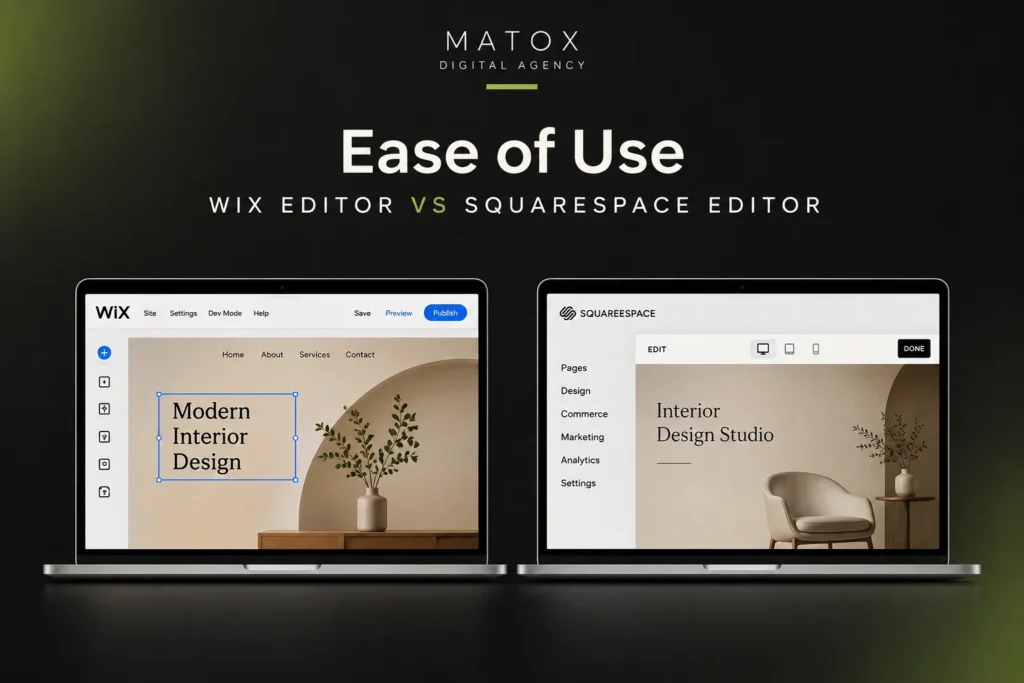
Squarespace is generally easier if you want a more guided, structured way to build and maintain your website, while Wix is easier if having more freedom to customize the site matters more to you. Both are designed for people who don’t necessarily know how to code, but they approach ease of use differently.
Wix gives you a lot of control inside the editor. You can move elements around, customize layouts, add sections, and access a broad range of website and business tools without leaving the platform. That flexibility is useful, but it also means there are more options to understand and more decisions to make.
Squarespace is more controlled. Its section-based editing system gives you less freedom to position and customize everything exactly as you want, but that can make the building process feel more predictable. You have fewer opportunities to accidentally create inconsistent spacing, typography, or layouts across the site.
Building the Website vs Maintaining It
Squarespace has an advantage for users who prioritize straightforward day-to-day maintenance, while Wix can be more comfortable for users who want greater control over ongoing changes.
This distinction matters because ease of use shouldn’t be judged only by how quickly you can create your homepage.
Once the website is live, you may need to change services, replace images, publish new pages, update pricing, create landing pages, add forms, or hand the website over to another person on your team.
A platform that feels easy during the initial build can become more complicated once the website contains dozens of pages and multiple features. On the other hand, a more structured system can eventually feel restrictive if you’re constantly trying to do things that fall outside its normal workflow.
That’s why I would look at ease of maintenance as seriously as ease of setup when choosing between Wix and Squarespace.
From my experience editing both platforms, Squarespace has been easier overall. Its grid-based editor keeps layouts and spacing more consistent, while Wix gives you much more freedom to move elements around, which can also make it easier for a page to become messy. I noticed the biggest difference on mobile: with Wix, I often had to adjust the mobile layout separately after finishing the desktop version, while Squarespace handled responsive layouts with much less intervention. I also found Squarespace’s settings easier to navigate, whereas Wix sometimes had me digging through different menus to find what I needed.
Ease-of-Use Verdict
Choose Squarespace if you want a more guided experience with stronger design guardrails. Choose Wix if you’re comfortable with more options in exchange for greater control over how your website is built and changed.
Neither approach is automatically easier for everyone. The better choice depends on whether simplicity or flexibility matters more to the person who will actually manage the website.
Which Is Better for Website Design: Wix or Squarespace?
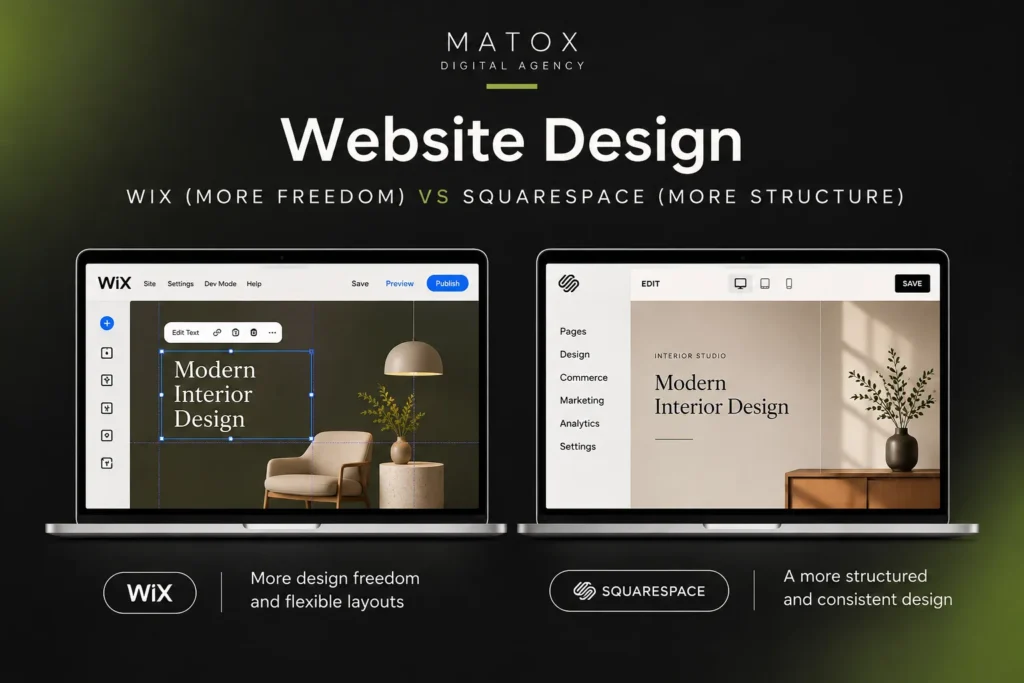
Wix is better for design freedom, while Squarespace is better for design consistency. Wix gives you more control over how individual pages and elements are arranged, whereas Squarespace gives you stronger design guardrails that make it easier to maintain a polished, cohesive look across the website.
The better option depends on whether you want more freedom to customize or more structure to keep the design consistent.
Wix: More Design Freedom
Wix gives you more freedom to customize layouts and position elements the way you want. That makes it the stronger option when you have a specific design in mind and don’t want the platform’s structure making too many decisions for you.
Its editor gives you considerable control over individual sections and elements, and Wix also offers a large collection of templates as starting points. That flexibility can be valuable when a business website needs to move beyond a standard template layout.
But there’s a trade-off: more design freedom also means more responsibility for the design.
Being able to move, resize, and customize more elements doesn’t automatically result in a better website. Without a consistent system for typography, spacing, hierarchy, and layout, it’s easier for different pages to gradually stop feeling like parts of the same site.
What I liked most about designing in Wix was the freedom to place elements exactly where I wanted them. For more unusual layouts, such as overlapping an image with text or positioning something slightly off-center, I could usually create what I had in mind without fighting against a grid. But that freedom can also work against you. Without strong design guardrails, it’s easy to introduce uneven spacing, small alignment issues and layouts that need additional fixing on mobile. As a designer, I found the flexibility useful, but I think it can be too much freedom for someone without design experience.
Squarespace: More Design Guardrails
Squarespace gives you less unrestricted design freedom, but its structured approach makes maintaining visual consistency easier. That’s particularly useful for someone building or updating a website without much design experience.
Instead of treating those constraints as automatically negative, I see them as a trade-off.
For a photographer, consultant, restaurant, creative business, or small company that mainly needs a polished website to present its work and services, having fewer ways to break the underlying design can actually be useful.
The limitation becomes more noticeable when you have a very specific layout in mind or need the website to behave in ways that don’t fit comfortably within Squarespace’s system.
What I like most about designing in Squarespace is how polished everything feels from the start. The grid makes me faster because I spend less time fixing alignment and spacing and more time working on the actual content and design. The downside appears when I want to move outside that structure. I’ve had relatively small changes, such as specific spacing or button styling, require custom CSS because the built-in controls didn’t offer what I needed. Squarespace’s structure keeps a design consistent, but when an idea doesn’t fit that structure, you can end up working around the platform instead of simply building it.
Design Verdict: Wix or Squarespace?
Choose Wix if design freedom is more important to you. Choose Squarespace if you’d rather have stronger guardrails that help keep the website visually consistent.
If you’re a non-designer building and maintaining the website yourself, I wouldn’t automatically assume that having more customization options is better. Sometimes the platform that gives you fewer opportunities to make inconsistent design decisions produces the better result.
And if you already know exactly how you want the website to look and neither platform gives you enough control to achieve it comfortably, that’s a sign that the decision may need to extend beyond Wix vs Squarespace.
Wix vs Squarespace Pricing: Which Is Cheaper?
Wix is cheaper if you want to start for free, while the better value between their paid plans depends on the features your website actually needs. Wix has a permanent free plan, whereas Squarespace uses a free trial before requiring a paid website plan.
For a business website, though, I wouldn’t make the decision based on the cheapest advertised price. You need to compare the plans that actually provide the functionality you’ll use.
As of October 2026, the platforms list these main website plans:
| Wix | Squarespace |
|---|---|
| Free - $0 | Basic - $19/mo annually |
| Light - $17/mo annually | Core - $29/mo annually |
| Core - $29/mo annually | Plus - $49/mo annually |
| Business - $39/mo annually | Advanced - $99/mo annually |
| Business Elite — higher-tier plan | — |
Pricing can vary by location, billing period, promotions and taxes. Always check the current price before choosing a plan.
Wix says its displayed annual-plan pricing is paid for the year upfront, and its paid plans can include a free domain for the first year. Squarespace likewise includes one year of eligible domain registration with annual website plans.
What You'll Actually Need to Pay For
The cheapest plan isn’t necessarily the cheapest way to run the website you need. Before comparing Wix vs Squarespace pricing, identify the functionality your business actually requires and compare the plans that include it.
For example, Wix’s free plan is useful for trying the platform, but a professional business site will generally need a paid plan to connect its own domain and remove Wix branding. Wix’s current Core plan adds payment acceptance and basic ecommerce, while higher plans expand ecommerce, marketing and other business functionality.
Squarespace’s plans similarly become more capable as you move through the tiers, particularly when selling products and services or requiring more advanced business features.
You should also account for costs that may sit outside the headline website-plan price, such as:
- domain renewal after any introductory free period;
- business email;
- premium apps, extensions or third-party services;
- payment-processing and commerce-related fees;
- additional marketing tools;
- professional design or development help.
This is why I wouldn’t choose Wix simply because one plan is cheaper than the closest Squarespace plan, or vice versa. Compare the total cost of the setup your business actually needs, not two plan names that happen to sit next to each other on a pricing page.
I haven’t personally run into major pricing surprises with either platform. Before quoting a project, though, I always check which plan will actually support what the website needs, especially when features like ecommerce or custom code are involved. The cheapest plan isn’t useful if the project requirements immediately push the site onto a higher tier.
Pricing Verdict
Choose Wix if having a free starting point matters or its specific paid-plan features better match what you need. Choose Squarespace if the functionality you need is already covered comfortably by one of its plans.
For a serious business website, I would put much more weight on what the platform lets you do at the plan you’ll actually need than on saving a few dollars per month.
Is Wix or Squarespace Better for SEO?
Both Wix and Squarespace can rank well in Google, but Wix offers more control over several technical SEO settings. For most small business websites, however, the difference between Wix and Squarespace SEO is unlikely to determine which site ranks better.
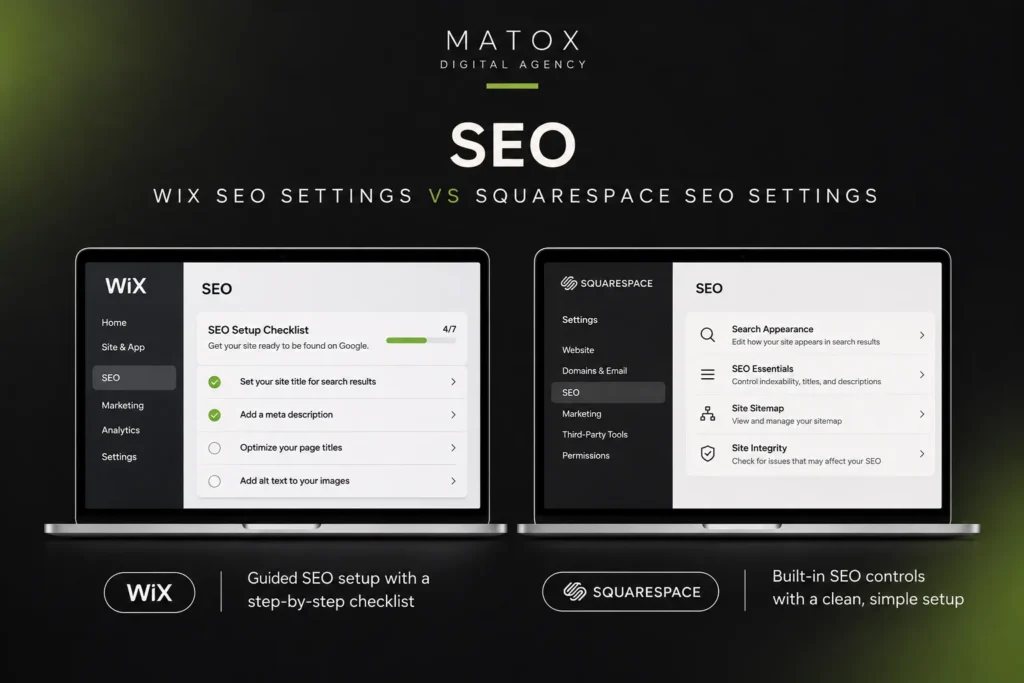
Wix and Squarespace both cover the SEO fundamentals needed to optimize a website for search. You can customize important on-page elements such as SEO titles and meta descriptions, while both platforms handle technical basics such as XML sitemaps and canonical URLs. Wix also provides controls for redirects, robots directives, URL structures and structured data.
Where Wix Has the SEO Advantage
Wix has the advantage when more granular SEO control is important. Its SEO settings allow users to customize URL structures, canonical tags, robots meta tags and structured data, as well as manage redirects and apply SEO settings across groups of pages.
That additional control becomes more useful as a website grows. A small brochure site may never need many of these settings, but a larger site with blog posts, service pages, products or other content types can benefit from having more control over how search engines crawl and understand different pages.
Wix also automatically generates and updates XML sitemaps, so new eligible pages can be included without manually maintaining a sitemap.
Where Squarespace Keeps SEO Simpler
Squarespace provides the core SEO features most small business websites need while handling much of the technical setup automatically. The platform includes SEO titles and descriptions, automatic sitemaps, canonical tags, structured data and mobile-friendly pages as part of its built-in SEO functionality.
That makes Squarespace perfectly capable of supporting an SEO strategy without requiring the site owner to manage every technical setting.
The trade-off is control. Squarespace handles more of the underlying implementation for you, while Wix exposes more settings that can be adjusted when a website has more specific SEO requirements.
For a relatively straightforward service, portfolio or local business website, that difference may not matter much. For a larger site with a more advanced organic search strategy, the additional flexibility can become more valuable.
SEO Features Aren't the Same as an SEO Strategy
When comparing Wix vs Squarespace for SEO, the quality of the SEO strategy matters more than the platform’s feature list. Neither platform will rank a website simply because it generates a sitemap, allows custom title tags or adds structured data.
Strong organic visibility still depends on factors such as:
- targeting searches that are relevant to the business;
- matching each page to the right search intent;
- creating useful, original content;
- building a clear site structure and internal links;
- optimizing important service, product or location pages;
- maintaining good technical health and indexability;
- earning relevant authority and backlinks;
- providing a good experience after someone reaches the site.
A well-optimized Squarespace website can outrank a poorly optimized Wix website, and the reverse is equally true.
I’ve done hands-on SEO on both Squarespace and Wix, covering titles and meta descriptions, headings, URLs, image alt text, internal links, sitemaps, and Search Console. Google indexed the pages normally on both, and I connected both sites to Search Console. Neither one was noticeably easier for the basics, since they were about the same.
I did have moments where I wanted more control than either gave me and thought I’d have it much easier in WordPress. Still, neither platform stopped me from doing normal SEO work. They’re just less flexible than WordPress once you get into the more technical side.
Wix vs Squarespace SEO: The Verdict
Wix has the edge for SEO control, while Squarespace provides enough built-in SEO functionality for many small business websites. If SEO is going to be an important long-term source of leads or sales, the better platform is the one that supports the site’s wider content, structure and growth requirements—not simply the one with the longest list of SEO features.
Wix vs Squarespace for Ecommerce: Which Is Better?
Wix is generally the better choice for businesses that want more built-in ecommerce flexibility, while Squarespace is a strong option for smaller stores that value simplicity and design. Both platforms let you sell products and services online, but they approach ecommerce differently.
Wix provides a broader set of tools for managing an online store, including physical and digital products, inventory, orders, discounts, abandoned-cart recovery, subscriptions and multiple sales channels. Its larger app ecosystem also gives businesses more options for extending their store as their needs change.
Squarespace covers the ecommerce features many small businesses need while keeping store management closely integrated with the rest of the website. This can work particularly well for creators, service businesses and smaller brands that want to combine products, content and strong visual presentation without managing a more complex ecommerce setup.
Which Should You Choose for an Online Store?
Choose Wix if ecommerce will be a significant part of the business and you expect to need more flexibility as the store grows. Choose Squarespace if you’re running a relatively straightforward store and want ecommerce to remain simple and closely integrated with a design-focused website.
For a large or increasingly complex online store, however, the decision may extend beyond Squarespace vs Wix. Requirements such as advanced inventory management, complex product catalogs or specialized ecommerce workflows can make a dedicated ecommerce platform a better fit.
Wix vs Squarespace for Blogging, Apps and Integrations
Squarespace is a strong choice for straightforward blogging and content publishing, while Wix has the advantage when you need a wider range of apps, integrations and additional website functionality. For a typical small business website, both platforms provide enough tools to publish and manage content effectively.
Blogging and Content Marketing
Both Wix and Squarespace can support an ongoing blog and content marketing strategy. They allow you to create posts, organize content, add images, manage basic SEO settings and publish new articles without needing a separate blogging platform.
Squarespace’s structured editing experience works well for businesses that mainly want to publish articles alongside their main website. Wix offers comparable blogging functionality while giving you more options to connect the blog with other features across the site.
If organic search is an important part of the content strategy, the bigger difference won’t usually be the blogging editor itself. Keyword targeting, content quality, internal linking and site structure will have far more influence on whether the content performs in search.
Apps, Integrations and Additional Functionality
Wix has the stronger ecosystem when you need to extend what the website can do. Its App Market provides integrations and additional functionality for areas such as bookings, events, forms, marketing, ecommerce and other business requirements.
Squarespace also supports extensions and third-party integrations, but its ecosystem is more limited. That isn’t necessarily a disadvantage for a simple website, but it becomes more important when the site needs to connect with additional tools or support more specialized workflows.
The practical difference is flexibility: Squarespace keeps the website ecosystem relatively controlled, while Wix gives you more ways to expand the site’s functionality.
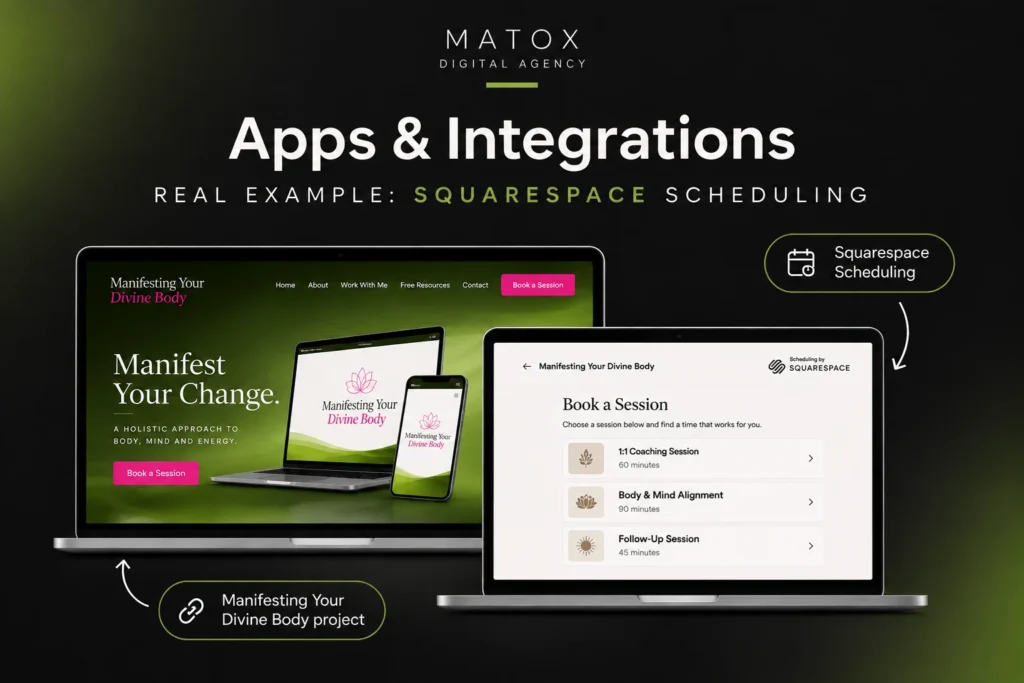
A good example from my own work is Manifesting Your Divine Body, where I used Squarespace Scheduling for the site’s booking functionality. I liked how naturally it fit into the rest of the website, the booking experience felt like part of the same project rather than a separate tool bolted onto it. For a service-based website with relatively straightforward appointment needs, it gave me the functionality I needed without having to build something custom or find a workaround.
Blogging and Integrations Verdict
Choose Squarespace if your priority is straightforward content publishing within a structured website. Choose Wix if you expect to rely more heavily on apps, integrations or additional business functionality.
For a growing business, this is where the question starts shifting from “What can I build today?” to “What will I need the website to do later?”
Which Is Better as Your Business Grows?
Wix generally gives a growing business more room to add functionality, while Squarespace can remain the better choice if the website’s needs stay relatively simple. The important question isn’t only which platform works at launch, but whether it will still fit the business as the website becomes more important.
A small website might initially need only a homepage, service pages, a contact form and a blog. Over time, that can change. You may want new landing pages, booking functionality, ecommerce, integrations, lead-generation forms or a much larger content library.
This is where the additional flexibility of Wix can become useful. Squarespace can also support growing websites, but its more structured environment may become restrictive sooner when requirements move beyond its standard functionality.
If you’re replacing an existing website rather than starting from scratch, our website redesign checklist covers the SEO, content and technical elements worth planning before the rebuild.
The Six-Month-Later Test
Before choosing Wix or Squarespace, think about what you’re likely to change during the first six months after launch.
Will you regularly create landing pages? Add services? Publish content? Connect new marketing tools? Let someone else manage the website?
A platform that feels easiest while building five pages isn’t necessarily the one that will be easiest to manage once the site has grown.
The Two-Year-Later Test
Then consider what happens if the website becomes a much more important part of the business.
If it eventually needs more advanced functionality, custom integrations or greater development control, the limitations of an all-in-one website builder can become more noticeable.
That doesn’t mean every growing business should avoid Wix or Squarespace. Many businesses can use either platform successfully for years. It simply means future requirements should be part of the Wix or Squarespace decision from the beginning, especially if rebuilding or migrating later would be costly.
Not Sure Which Platform Fits Your Website?
Choosing between Wix and Squarespace becomes harder when your website needs to do more than simply look good. The right platform depends on how you plan to use the site, the functionality you need, and how those requirements may change as your business grows.
If you’re unsure whether Wix, Squarespace, WordPress, or a more custom solution makes the most sense, we can help you evaluate the options based on your actual website requirements.
What Are the Biggest Drawbacks of Wix and Squarespace?
The biggest drawback of Wix is that its flexibility can add complexity, while Squarespace’s biggest drawback is the opposite: its structured system can become limiting when you need more customization. Neither is a problem for every website, but these trade-offs matter more as your requirements become specific.
Don't Choose Wix If...
Don’t choose Wix simply because it gives you more features and customization options. More flexibility is only useful if you actually need it.
Wix may not be the best fit if you:
- want the simplest possible editing experience;
- prefer strong design guardrails rather than extensive customization;
- don't expect to use its broader range of apps and business tools;
- need extensive control over the underlying website code or hosting environment.
For some users, Wix’s flexibility is its biggest advantage. For others, it creates options they’ll never use and makes the website more complicated than necessary.
Don't Choose Squarespace If...
Don’t choose Squarespace if you already know your website will require extensive customization or specialized functionality.
Squarespace may become restrictive if you:
- have very specific design requirements outside its normal system;
- expect to rely heavily on third-party apps or specialized integrations;
- need more advanced custom functionality;
- want greater development control as the website evolves.
Its guardrails are useful when they match what you’re trying to build. They become a limitation when you repeatedly have to work around them.
Can You Move From Wix to Squarespace Later?
Yes, you can move from Wix to Squarespace later, but you can’t simply transfer the entire website and have it appear exactly as it did before. In most cases, moving between the platforms involves rebuilding the site’s design and migrating the content that can be transferred.
Some content can be moved or recreated relatively easily, but layouts, custom functionality, apps and platform-specific features generally won’t transfer directly. You’ll also need to preserve important SEO elements such as URLs where possible and set up 301 redirects when page URLs change.
This matters because switching platforms becomes more complicated as a website grows. Moving a five-page business website is very different from migrating a site with hundreds of blog posts, product pages, integrations and established search rankings.
So while you’re not permanently stuck with either platform, migration shouldn’t be treated as effortless. If you already expect your website requirements to change significantly, it’s worth considering that before choosing Wix or Squarespace in the first place.
Does Switching Platforms Hurt SEO?
A Wix to Squarespace migration-or the reverse-doesn’t automatically hurt SEO, but a poorly managed migration can. Changing URLs, removing valuable pages, losing internal links or failing to redirect old URLs can cause rankings and organic traffic to drop.
The goal during any website migration should be to preserve the site’s existing SEO value while making the transition as cleanly as possible.
Wix vs Squarespace vs WordPress: When Should You Choose WordPress Instead?
Choose Wix or Squarespace if you want an all-in-one website builder that handles most of the technical setup for you. Choose WordPress if you need greater control over how the website is built, extended and managed as its requirements grow.
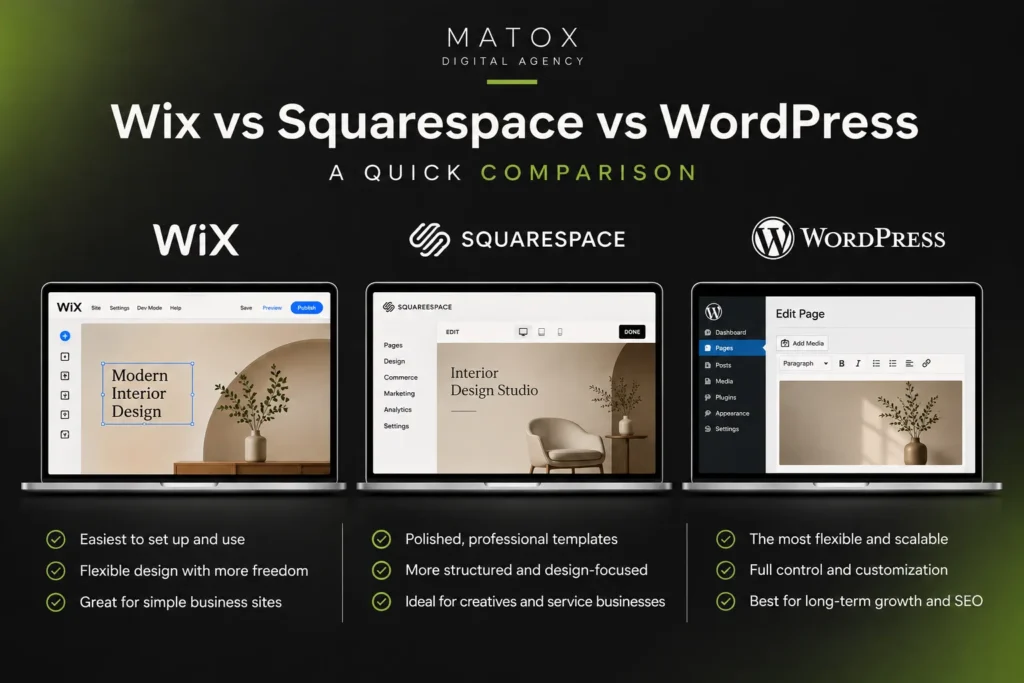
This is where the Wix vs Squarespace vs WordPress comparison becomes important. Wix and Squarespace bundle the website builder, hosting and much of the technical infrastructure into one platform. With self-hosted WordPress.org, you have considerably more control, but you also take on more responsibility for hosting, security, updates and maintenance.
Choose Wix When...
Choose Wix when you want an all-in-one platform but still value flexibility. It makes sense for small and growing businesses that want to manage their website without handling hosting or much of the technical infrastructure themselves.
Its broader app ecosystem and customization options also make it a good middle ground between the simplicity of Squarespace and the greater control available with WordPress.
Choose Squarespace When...
Choose Squarespace when simplicity, visual consistency and straightforward maintenance are the priorities.
It’s particularly well suited to businesses that don’t need extensive custom functionality and would rather work within a structured system than manage the additional decisions that come with a more flexible platform.
Choose WordPress When...
Choose WordPress when you need more control over the website’s functionality, SEO setup, integrations or future development.
Self-hosted WordPress can be a better fit when the website needs custom functionality, a larger content architecture, specialized integrations or more control over the underlying technical setup.
That flexibility comes with a trade-off. WordPress requires more decisions around hosting, plugins, security, performance and maintenance, so it isn’t automatically the better choice simply because it offers more control.
For most client websites I build today, I prefer WordPress because it gives me more control over the design, SEO and overall site structure. I’ve worked extensively with it, and I find it much more flexible when a project needs to move beyond the limitations of an all-in-one website builder. That doesn’t mean I always choose WordPress for every part of a project.
Manifesting Your Divine Body is a good example: I built the main website in WordPress, but use Squarespace Scheduling for the booking system because I prefer it for that specific purpose. For me, WordPress is the stronger overall platform, while Squarespace can still be the better tool for a particular job.
Wix, Squarespace or WordPress?
For a straightforward website that you want to manage yourself, Wix or Squarespace may be the better choice. For a website with more complex requirements or a need for greater long-term development control, WordPress may make more sense.
The goal isn’t to choose the platform with the most features. It’s to choose the one whose level of simplicity, flexibility and control matches what the website actually needs.
Wix or Squarespace: What Would I Choose?
If I had to choose between Wix and Squarespace, I would personally choose Squarespace. I’ve built websites with both platforms, and I prefer Squarespace’s cleaner editor, more consistent design system and the fact that I can create a polished website without spending as much time correcting layouts and mobile responsiveness.
For a straightforward business website, especially one that will eventually be managed by a non-technical client, I’d be more comfortable recommending Squarespace. Its design guardrails make everyday editing more predictable and reduce the chances of the site’s layout becoming inconsistent over time.
Wix gives me more design freedom, and that can be useful when a project needs layouts that don’t fit neatly into a structured grid. But in my own work, that additional freedom hasn’t outweighed the cleaner experience I get with Squarespace.
For most client websites I build today, however, I’d choose WordPress over either platform when the project needs more control over design, SEO, site structure or future functionality. That doesn’t mean every part of the project has to use WordPress. For Manifesting Your Divine Body, for example, I built the main website in WordPress but use Squarespace Scheduling for bookings because I prefer it for that particular job.
So my choice isn’t based on one platform being universally better than another. I’d choose Squarespace for a simpler, polished website that’s easy to maintain, and WordPress when the project needs greater control and room to grow. Wix can be a good fit when design freedom is the priority, but between Wix or Squarespace, Squarespace is the platform I personally prefer.
Wix vs Squarespace FAQs
Is Wix or Squarespace better?
Wix is better if you want more design freedom, built-in functionality and options for expanding your website, while Squarespace is better if you prefer a more structured platform with strong design consistency. The better choice depends on the type of website you’re building and how much flexibility you’ll need as it grows.
Is Wix better than Squarespace for small businesses?
Wix can be better for small businesses that need bookings, ecommerce, integrations or other business functionality, while Squarespace can be better for businesses that mainly need a polished, straightforward website. Neither platform is automatically better for every small business, so the decision should be based on the site’s actual requirements.
What is cheaper, Wix or Squarespace?
Wix offers a free plan, while Squarespace requires a paid plan after its free trial. For a professional business website, however, the cheapest option depends on the features you need, since ecommerce, apps, integrations and other functionality can affect the total cost.
Is Wix or Squarespace better for SEO?
Both Wix and Squarespace can support a strong SEO strategy, although Wix provides more control over some technical SEO settings. For most small business websites, content quality, search intent, site structure, internal linking and overall SEO execution will matter more than choosing Wix instead of Squarespace.
Still Not Sure Which Website Platform Is Right for You?
Wix and Squarespace can both be good choices, but the right platform depends on what you need your website to do now and how you expect it to grow.
If you need more flexibility, custom functionality, or you’re simply not sure whether Wix, Squarespace, WordPress or a custom solution is the best fit, MaTox can help you choose the right approach and build the website around your actual requirements.

About the Author
Makedonka Tochevska
Makedonka Tochevska is a web designer and front-end developer at MaTox Digital Agency. She works on website design and redesign projects with a focus on WordPress development, user experience, website performance, and SEO implementation.
Her work includes planning and building business websites, improving existing websites, and handling the technical and SEO details that need to be considered when a website changes.